


Network and device management
Define gateways and group devices; one management surface for networks that mix several vendors.
HOTSPOT SOFTWARE
From hotel rooms to café tables: choose the right guest login, manage access policies and route records to the independent LogIQ architecture.
HOTSPOT SOFTWARE
Guests see a few simple steps. Your team manages verification, access policies and record collection separately.



01020304 Behind the scenes
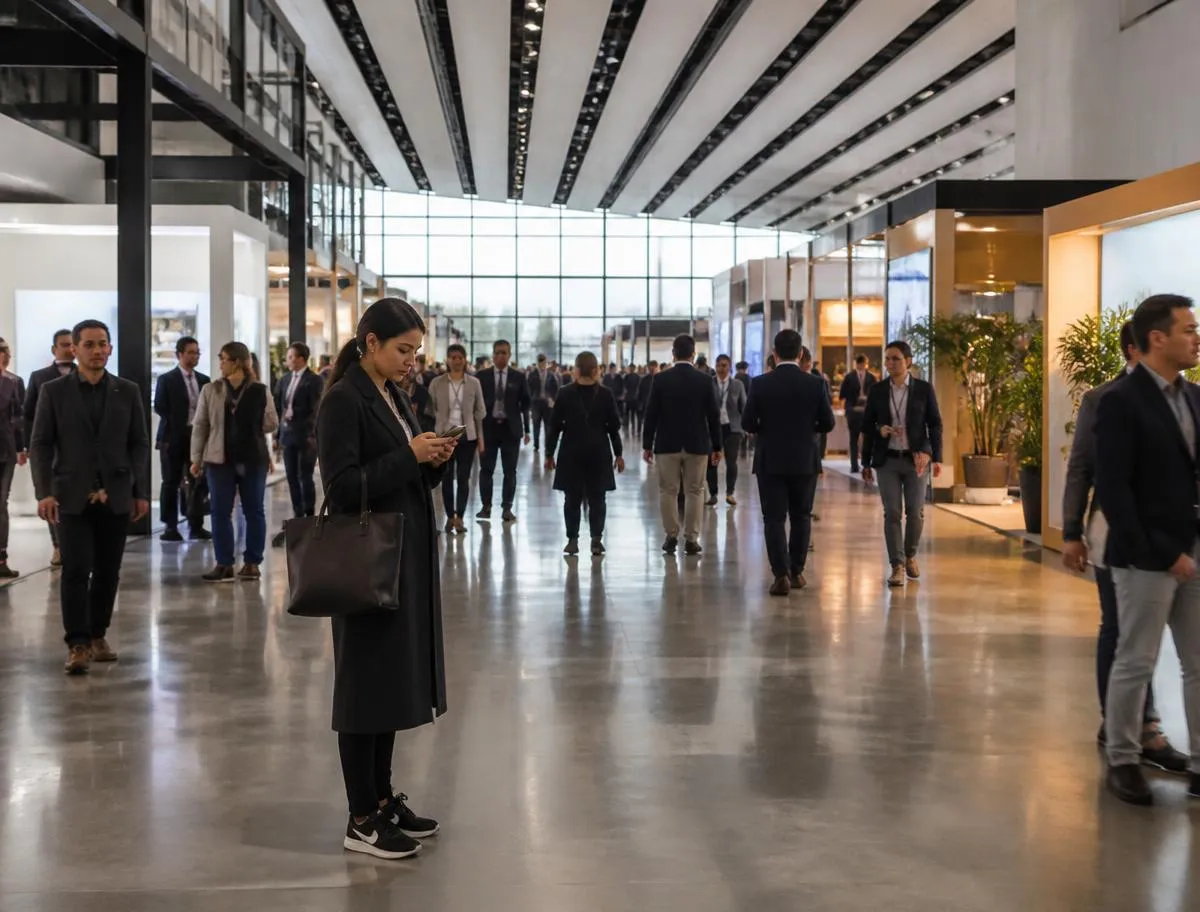
Guests join your existing Wi-Fi network. A supported gateway directs them to a portal tailored to your brand and location.
Room and surname at a hotel, SMS/OTP at a café, vouchers at an event and sponsor approval at a company. Verification sources and integration scope are agreed before deployment.
Duration, speed and quota policies are assigned to the relevant group. Internet traffic stays on your existing network; HotSpot is not an inline traffic appliance.
LogIQ processes session and supported network records. Law 5651 ZIP + timestamp archives and analytics stores use separate retention policies.
Portal · location · languageLogin method · user groupSession · duration · speed · quotaLogIQ · ZIP + timestamp · separate stores
 Fortinet


Illustrative journey · no real verification or legal records
GUEST EXPERIENCE
Welcome, verification and a short survey: a Wi-Fi journey tailored to your venue.
Try it on your phone
Scan with your camera

HotSpot Demo Hotel
Stay connected throughout your visit.
This sample shows the portal journey only. It does not provide internet access, send SMS or query hotel records. Usage terms and privacy notices are tailored to your venue in a real deployment.
Your feedback matters to us.
Your Wi-Fi journey is complete.
Sample portal · No real SMS is sent
These states belong to this demo; no real session or legal record is created.
Let’s design your own portal
Request a demoFollow the hotspot creation wizard step by step. Start with one of multiple design templates and personalise every field for your brand and guests.
Create your hotspot step by step and set your preferences in the same workflow.
Pick a starting point suited to your venue from multiple ready-made templates.
Adapt every field of the welcome screen to your organisation’s identity and your guests’ needs.
Offer your welcome screen in different languages without a limit on the number of languages.
Sample design templates
HotelCaféCorporate TR
Hoş geldiniz
Connect to the internetTR · EN · DE · FR · AR · …
Illustrative journey · no real verification or legal records
Hundreds of different welcome screens; different venues, brands and guest groups within the same installation.
Define a separate welcome screen for every location, brand and language; they all run in parallel from the same panel.
Choose a method for your sector. SMS providers, PMS access and custom API scope are verified before deployment.
General use, every sector
Guests enter their phone number and receive a one-time password by SMS. Identity matching for 5651 is built in.
Verification source · SMS / OTP
This screen illustrates the method; no real details are entered or queried.
Public, municipal, corporate
Registration reinforced with national ID verification.
Verification source · Turkish ID + SMS
This screen illustrates the method; no real details are entered or queried.
Fairs, events, cafés
Prepaid or time-limited access cards, ready to sell.
Verification source · Voucher
This screen illustrates the method; no real details are entered or queried.
Hotels and resorts
Talks to your hotel PMS: instant login with room number and surname.
Verification source · PMS
This screen illustrates the method; no real details are entered or queried.
Corporate visitors
Visitors are admitted with staff approval; requests appear instantly in the panel.
Verification source · Sponsor
This screen illustrates the method; no real details are entered or queried.
Brands with their own app
Connect your corporate app via API and let guests in with an OTP.
Verification source · API + OTP
This screen illustrates the method; no real details are entered or queried.
Staff, loyalty members
Permanent accounts and device remembering remove repeat logins.
Verification source · User account
This screen illustrates the method; no real details are entered or queried.
PMS
After check-in, the guest joins Wi-Fi and enters a room number and surname. HotSpot verifies these details in the hotel PMS; access closes automatically at check-out.
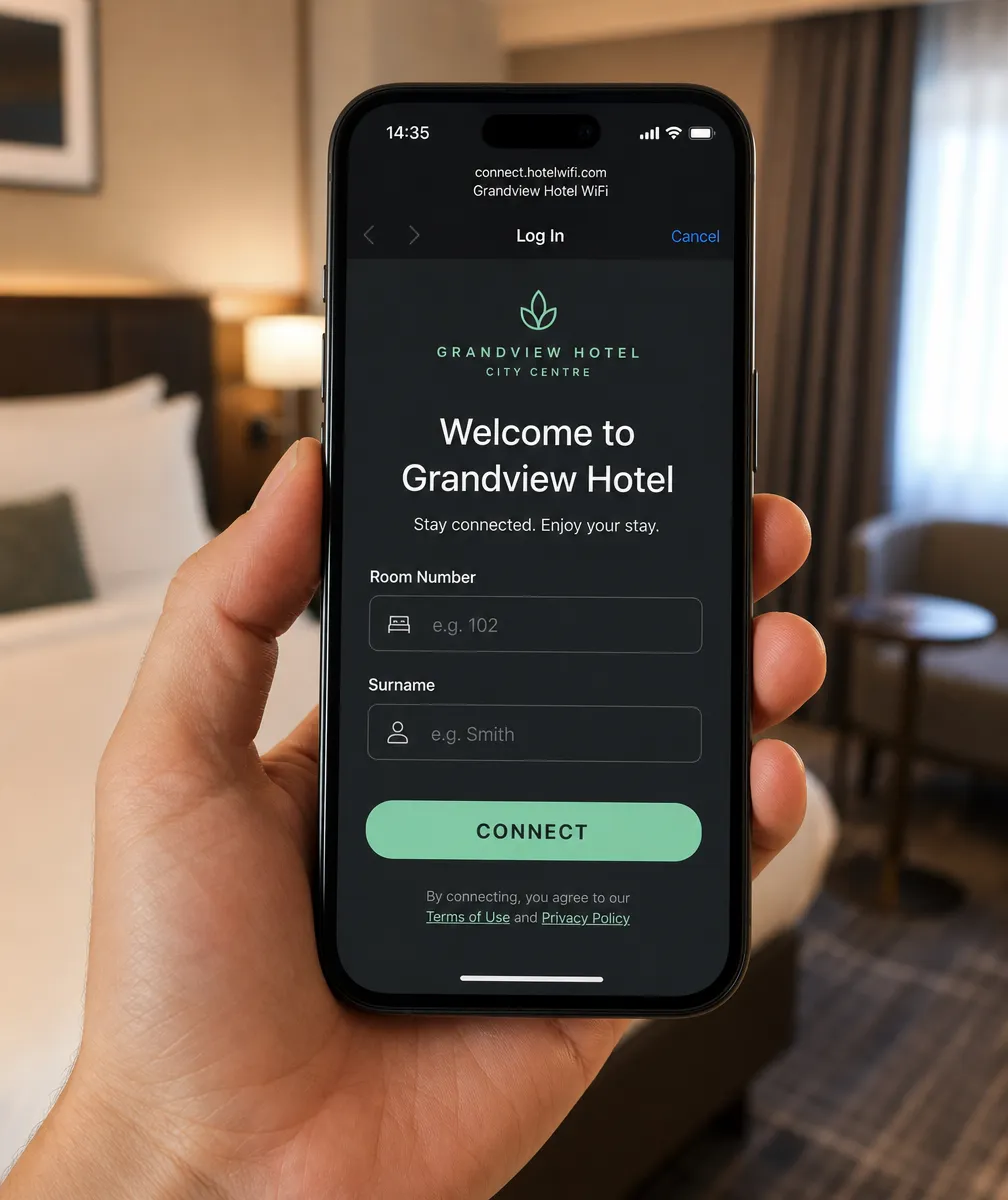
Assign time, speed, quota and priority rules to groups. Resolve rule conflicts automatically with conflict strategies.
Who is connected, on which device, from where? Monitor sessions in real time and disconnect with one click when needed.
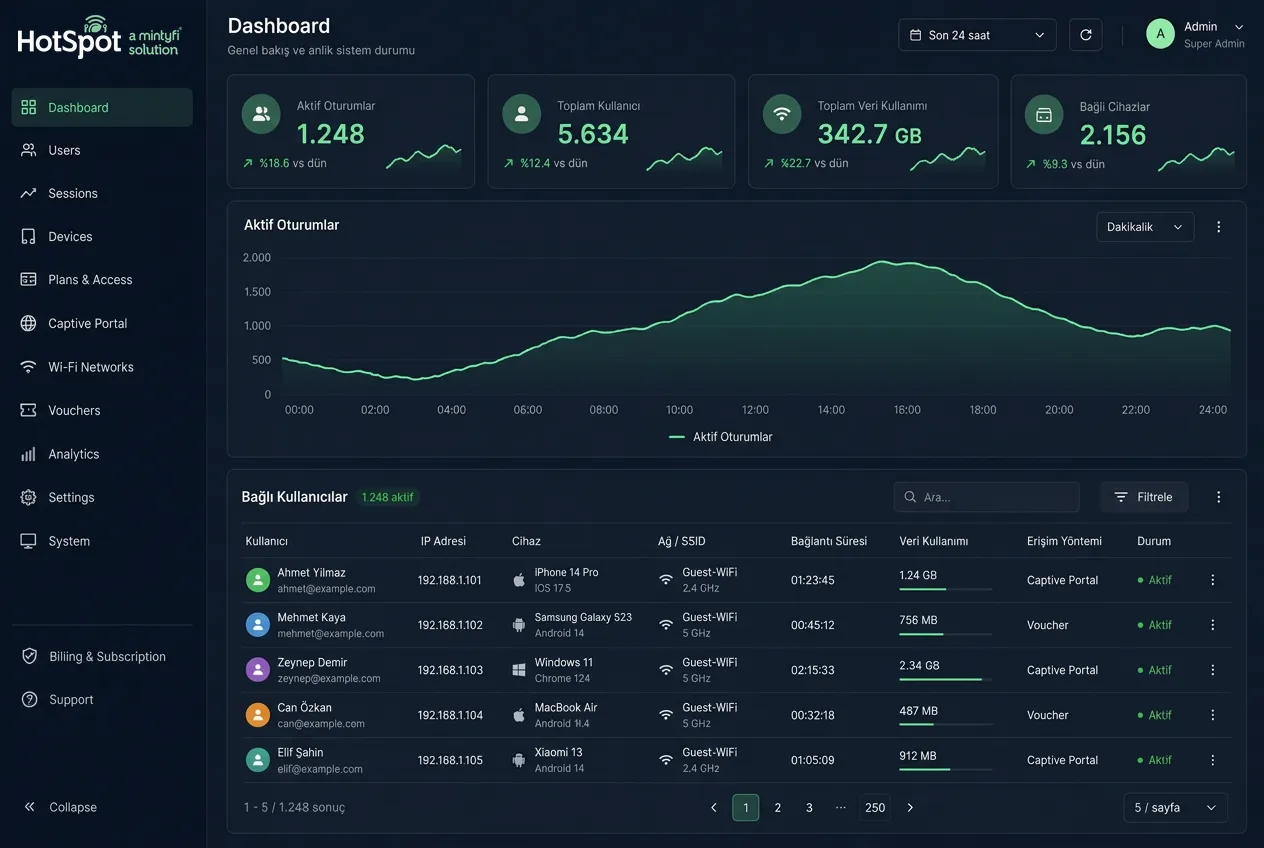
Define gateways and group devices; one management surface for networks that mix several vendors.
Wherever the guest goes, they are recognized and connected without signing up again.
MintyRoaming and scale
MintyRoaming lets a guest recognised at one location be recognised at every other location of the same business. Guests stop re-registering at each branch; the business sees one guest journey.
MintyRoaming and scale
Merging one customer's visits to different branches into one profile is the basis for loyalty, campaign and capacity decisions grounded in real data.
MintyRoaming and scale
Across hundreds of locations managed from one panel, each branch's welcome screen, announcement, ad and survey can be published individually or by group.
MintyRoaming and scale
In stadiums, fairs, city Wi-Fi and large chains the bottleneck is usually not the signal but the authentication and logging layer. HotSpot handles that layer to scale horizontally.
Look beyond the login screen: evaluate your existing network, guest groups and record workflows together.
A captive portal is the login screen guests see. Hotspot management also covers verification methods, access groups, sessions and network integration.
The PMS product and version, available connection method and room/surname matching fields are evaluated. Scope for sources such as Opera, Fidelio and Elektraweb is verified before deployment.
Hotspot licensing follows concurrent guests across the system, not locations. A total of 50 concurrent guests across 50 locations needs 50 hotspot licences. Syslog sources and cloud disk capacity are assessed separately.
No. Verification and authorization manage access; LogIQ collects and archives records. Required record types and legal retention obligations depend on the venue’s circumstances.
Session continuity is designed for supported device and network configurations. Operating system, portal opening and session policy are tested on real devices; there is no unconditional all-device guarantee.
Keep your existing infrastructure and bring access, engagement and 5651 records into one panel.
Request a Free DemoWe use cookies for visit statistics. Cookie policy