


Keeps access under control.
Manages location and user-group policies; evaluates sessions, source health and LogIQ records together.
Session · policy · source
Guest Engagement
Let guests see a campaign, read an announcement or answer a short survey as they join Wi-Fi. Manage everything in one panel and measure results by location.
Sample experience
Simple entry, relevant content and clear preferences. Internet access stays active during campaigns and surveys.
Guest experience
An entry method that suits me, in my language.
What the team sees
IT: the guest joins the right access group.
Recorded in reportsGroup and location record
Guest experience
An offer relevant to my venue and profile.
What the team sees
Sales: campaign views and clicks are visible.
Recorded in reportsContent engagement
Guest experience
I share feedback without losing my connection.
What the team sees
Operations / HR: feedback is read with its location.
Recorded in reportsSurvey response
Guest experience
No repeat registration at the next branch.
What the team sees
Business Development: repeat visits and dwell patterns are visible.
Recorded in reportsVisit continuity
Guests connect easily. IT manages sessions, HR reads feedback, Sales measures engagement and Business Development follows repeat-visit patterns.
Manages location and user-group policies; evaluates sessions, source health and LogIQ records together.
Session · policy · source
Delivers notices and surveys to staff groups and evaluates responses by period and location.
Notices · staff feedback
Tracks views and clicks for campaigns relevant to each guest group, without treating a click as a completed sale.
Views · clicks · responses
Compares repeat visits, cross-location movement and dwell patterns to inform loyalty programmes.
Return visits · duration · location
Campaigns, notices, surveys and legal copy stay in one place and fit naturally into the guest connection journey.
SCENE 01
A visual campaign on the welcome screen or full screen after login. Set a date range and it disappears on its own when it ends.
SCENE 02
Share maintenance, event or schedule updates with connected guests. Track announcement views and engagement from the panel.
SCENE 03
Satisfaction measurement with rating, multiple choice and open-ended questions. Answers are reported by location and date and can be exported.
SCENE 04
Terms of use, privacy notice and explicit consent screens. Which text version was accepted, and when, is recorded.
Show surveys, campaigns and announcements without interrupting the connection or requiring another login.
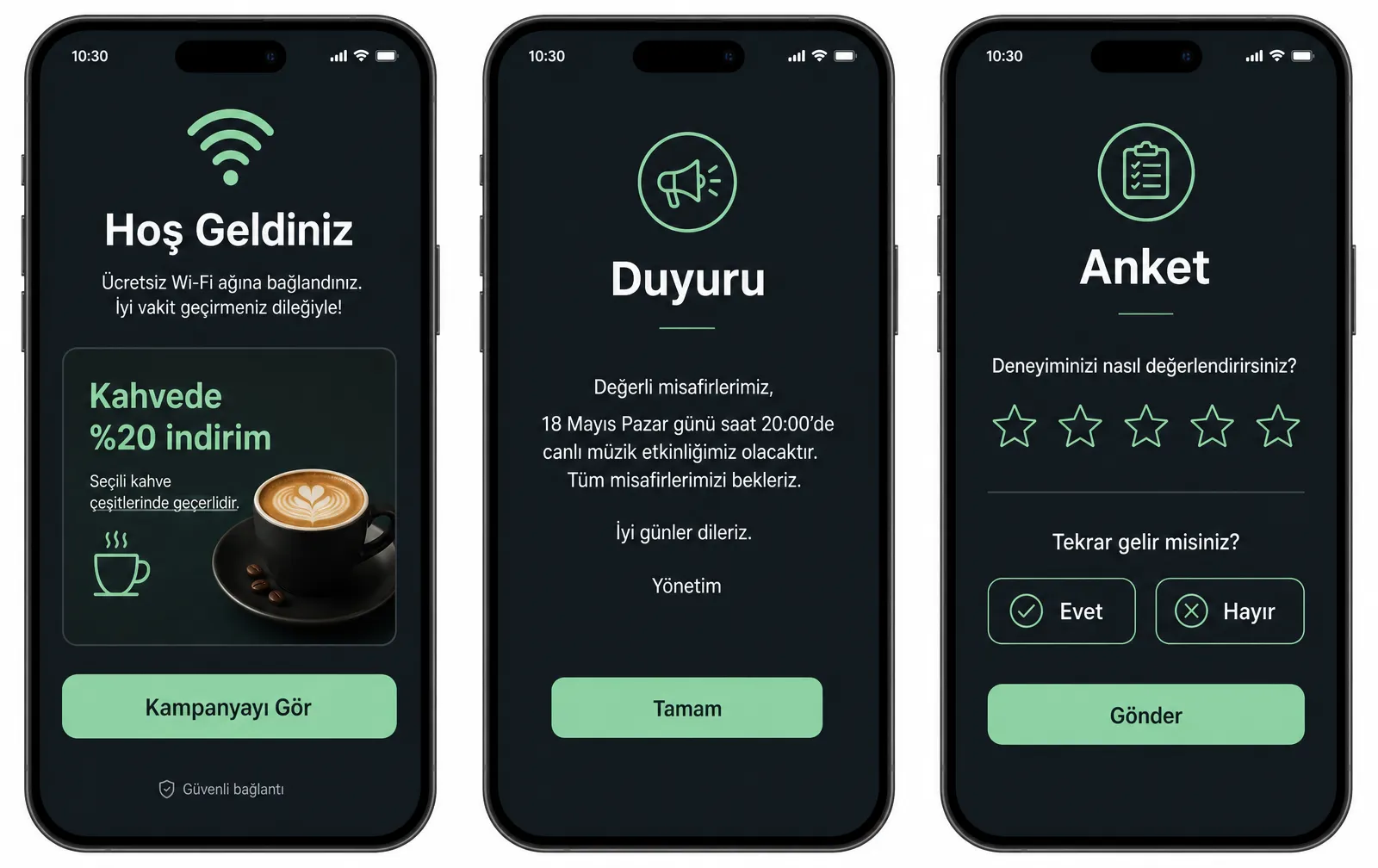
Sample views from the HotSpot portal design; colours, logo and wording are adapted to your venue.
Prepare content once, choose where and to whom it appears; impressions and clicks accumulate on the same screen.
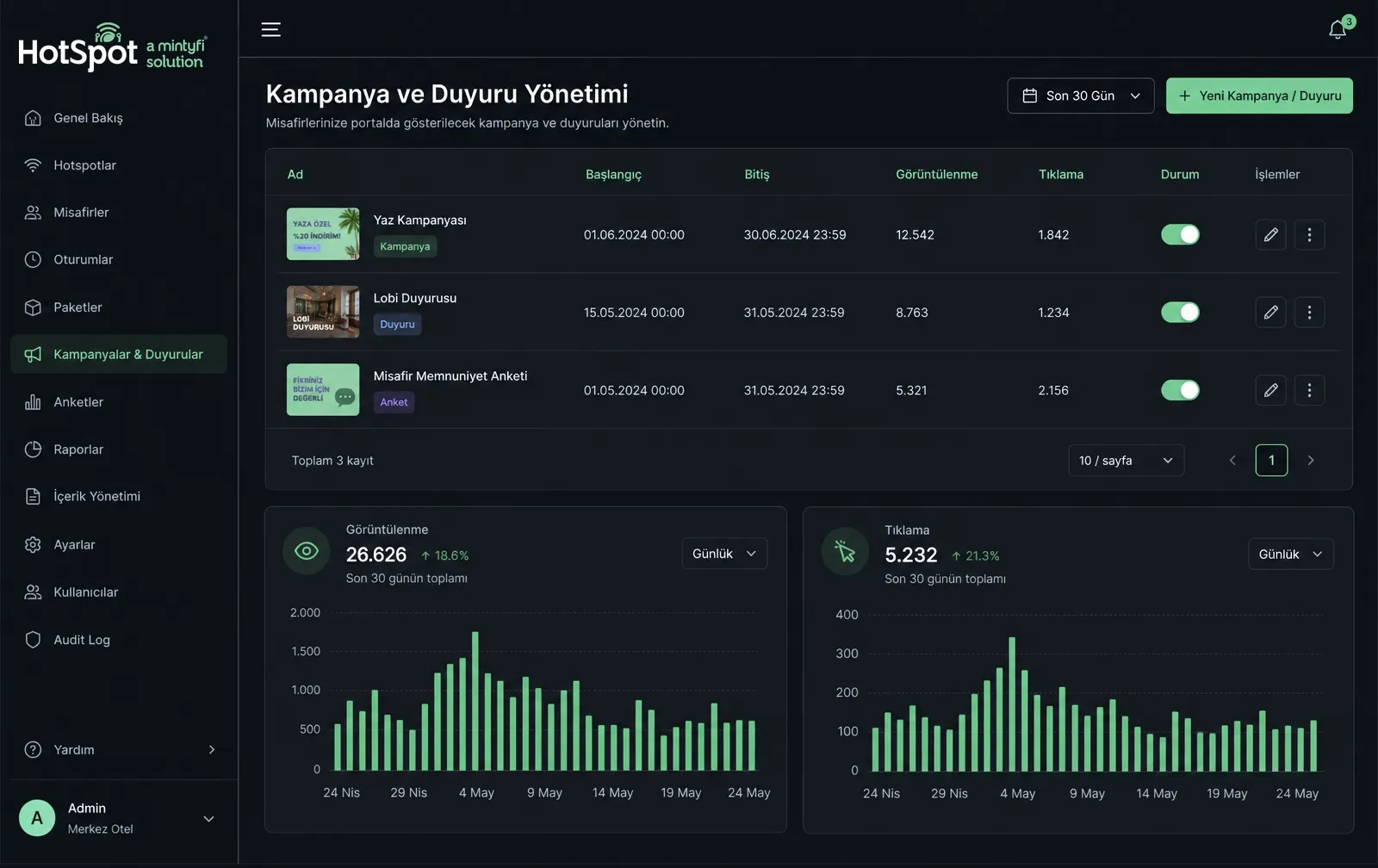
One network carries very different guest groups. Content is split by group and context.
Every piece of content is counted, so whether a campaign worked is a report, not a guess.
Consent given to join the network is not consent to receive marketing messages. HotSpot keeps in-portal display separate from email/SMS marketing consent, storing the notice version and the time of approval. Sending commercial electronic messages and the related obligations remain the venue's responsibility.
Keep your existing infrastructure and bring access, engagement and 5651 records into one panel.
Request a Free DemoWe use cookies for visit statistics. Cookie policy